

MISUSE 04: Present layered images upon a represented layered physical screen. In Revit, the digital model is presented as a dynamic projection or a set of static, pseudo-orthographic views. Misuse 04 works against the tool by combining representational, orthographic media and presentational, post-orthographic media in order to think through automation, scalelessness, and notational deletion.
1- Constructional Performances:
- Decide what to present as image and what to represent as physical.
- Decide what to cut, suppress, hide, reveal, and articulate.
- Sequence and animate the constructional images.
- Narrate the performance verbally, textually, or both.
- Diagram and document the performance.
FRIDAY 09.27_THE CONSTRUCTIONAL PERFORMANCE (Due Monday 09.30)
1- Complete the initial framework for the shared screen. It does not need to be totally complete, but you should be able to project upon it.
2- Complete thumbnail sketches of the frames you are planning to complete for the constructional performance (see below as an example).
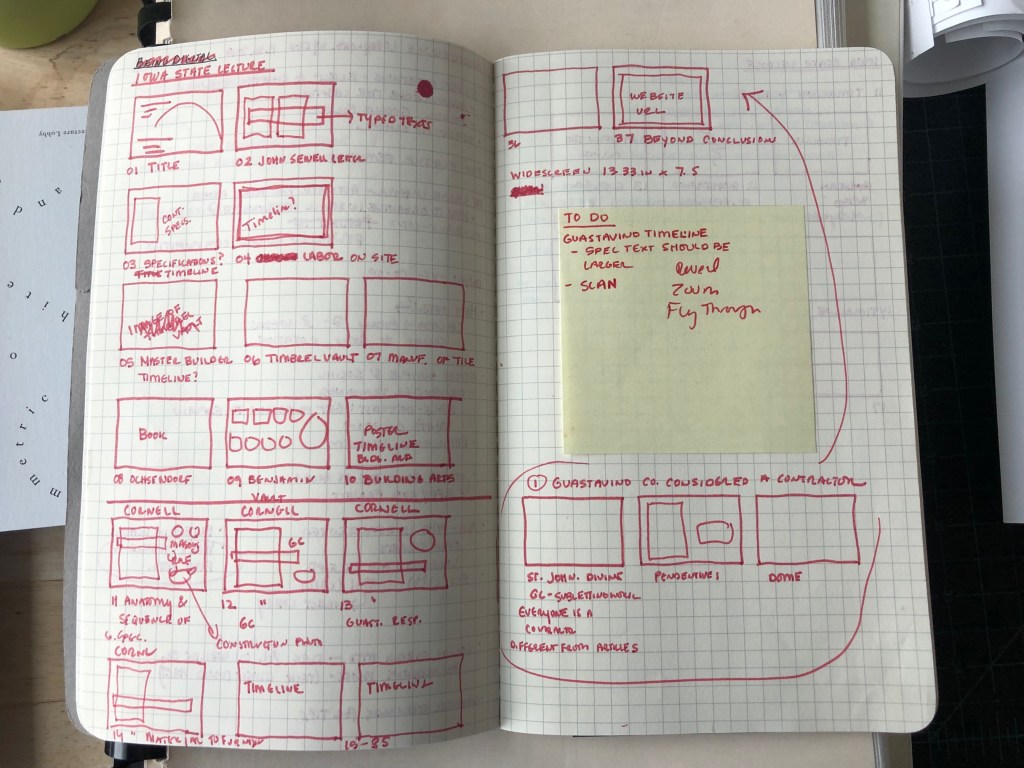
3- On Monday, bring a few examples of the images you plan to project so we may evaluate the graphics together.
WEDNESDAY 09.25_CONSTRUCTING THE CONSTRUCTIONAL PERFORMANCES (Due Friday 09.27)
Start constructing the Constructional Performance Apparatus and continue to work on the frames for the final performance on October 7th. Each pair will have approximately 15 minutes to perform.
MONDAY 09.23_DIAGRAMMING CONSTRUCTIONAL PERFORMANCES (Due Wednesday 09.25)
1- Complete the 01_The Four Misuses Reflection, individually. This will prepare you to combine your work with your partner’s work by articulating your intentions through the Keywords. You may complete the sheet using the printed copy given to you or copy and paste the questions and your answers into another document and print it for Wednesday. Be prepared to discuss.
2- Diagram the constructional performance apparatus in pairs. This should include a location in the shared imaging space, the dimensions of your shared screen as well as the location of your projector and computer. Give dimensions and distances. Print a copy of the diagram.
3- Continue to work on developing your presentation!

 DoArch Constructional Performances